docotive offers pre-designed, ready-to-use templates in Microsoft Word (.docx) format, as well as Board Templates —complete packages that include a Monday.com board with sample data, pre-configured automations, and corresponding Word (.docx) templates.
Microsoft Word Template
Microsoft Word Templates beautifully pre-designed ready to use .docx template. Whether you need documents, presentations, or project boards, we’ve got you covered. These templates are fully prepared and ready for immediate use and the best part is, they come at no cost.
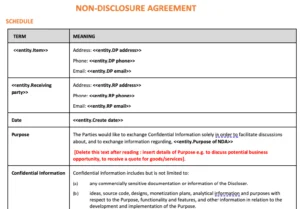
It is a standard ready to use NDA legal contract Microsoft Word (.docx) template that ensures one party keeps certain information confidential. It is entity document i.e. fetching data row wise.
Real Estate - Lease Agreement
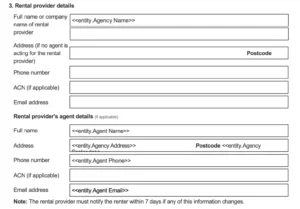
It is a standard Lease Agreement ready to use Microsoft Word (.docx) template that helps you to quickly generate lease agreements for tenants and landlords. It is entity document i.e. fetching data row wise.
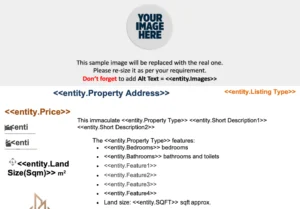
Generate beautiful brochure of property by adding images and details. It is ready to use Microsoft Word (.docx) template that helps you to quickly generate them. It is entity document i.e. fetching data row wise.
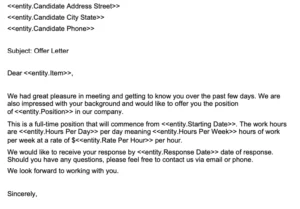
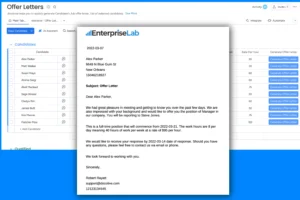
This is a standard job offer letter template for candidates, containing all relevant details of the offered position. It is a ready-to-use Microsoft Word (.docx) document that helps you quickly generate offer letters. It is entity document i.e. fetching data row wise.
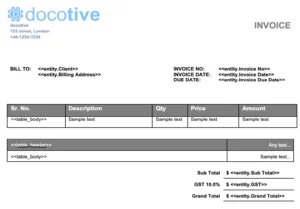
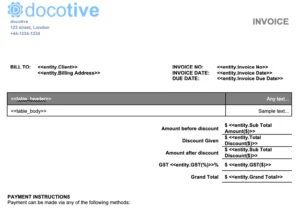
This is a standard ready to use template that can be used both as quotations and as well as invoices. It is entity document i.e. fetching data row wise.
This is a standard ready to use template that can be used both as quotations and as well as invoices. It is entity document i.e. fetching data row wise.
This is a standard ready to use template which helps you to manage board meetings with everything in one place & everyone on the same page. It is entity document i.e. fetching data row wise.
Board templates are complete packages that include a Monday.com board, corresponding Word templates, and pre-configured automations. To use one, simply go to your workspace, open the Template Center, and search for docotive. You’ll find several board templates ready to use.
Select the one that best matches your needs and click “Use Template.” The template will be configured in your workspace automatically. You’ll receive:
A ready-to-use board with sample data
Pre configured automation
A Word template that you can customize as needed
A guide explaining how to use the template and make changes
To generate a document, just click the “Generate” button in the Main Table. Your document will then appear in the Documents tab under the docotive View.
💡 Need Help?
Visit our YouTube channel for tutorials, walkthroughs, and updates
Explore our Help Center for step-by-step guides, and FAQs.
Email us anytime—till have questions? Reach out anytime at support@docotive.com and our team will be happy to assist you.